Film Photography and Scanners: First impressions of the Canon 9000F Mark II

In my last blog post I hinted at a longer story coming forth about my problems with my scanner. Today is the day to write this down.

Years upon years ago, I bought a HP G4010, which has a backlight unit to scan 35mm negatives. At the time my only goal was to digitize some of the old images my family had taken before there was digital photography. For this it worked pretty good. Then I bought the Diana F+ and suddenly I needed a scanner that was able to scan those medium format film strips. I ended up getting the HP G4050 since I had liked the G4050. Since hindsight is 20/20: this was a mistake!
The G4050 has been around for a lot of years now and HP has updated the scan software it uses for all its scanners but the G4050 did not get the updated utility but stuck with the old one. In addition to that, I had trouble scanning with lines running cross my images (digital lines) a lot of the time. I got into contact with the support of HP, who offered to send me a replacement top part of the scanner so I could try if that would help. It got a bit better but I still got the lines most of the time when I used the Lomography Scan Holders instead of the ones the HP came with. In addition oftentimes it would preview color images as black and white or the colors where completely off. Basically anything that was more advanced than a ISO 200 or ISO 400 color negative film was beyond its capabilities (which is the film I am least likely to shoot…). These results, btw, were the same when using VueScan instead of the build in utility.

uhm-no

The final straw was a few weeks ago when I started scanning the first results from my Belair X6-12, a medium format camera. The first film was a ISO 200 (or 400, cannot remember) 120 slide film – meaning I saw the image itself already on the film strip, so I KNEW that the images had good exposure. The HP though only gave me completely blown out shots. I was able to get a bit better results using VueScan but still not ideal. In the end I put the film strip on my iPad on a white background and used my iPhone to share some results.

overblown
Then a few weeks later I shot a slide film and crossed it with it. In the end I spent about an hour in Photoshop on each image because the best i could do was take the raw image from vuescan and invert myself using photoshop and then using curves etc to clean up the colors.
If this sounds frustrating to you: welcome to my world. I have cursed more often at this device than I can imagine…

options

But not only did I get a Belair recently but Canon announced a new scanner. Scanners are notoriously slow to be updated (especially those which can scan film) so I was interested in this new one since it uses a LED backlight and can scan both 35mm and 120mm film and uses a new software utility Canon built from scratch for this scanner.

So after this last debacle with the HP, I decided to take the plunge and buy the Canon. It took a few weeks to arrive since my photo store had to order it for me but on Saturday I was able to pick it up and started testing it right away. At first I used VueScan (which has an update out that can utilize the Canon) but somehow I still have not fully grasped VueScan – but i got okay results already with it and the scanner was super quite and fast compared to the HP. Then I decided to install the scan utilities that came with the scanner and see how they work and I have to say: i am impressed. It has a lot of options for improving your results and is relatively easy to understand and use and the results turned out great in my opinion. Even the cross processed slide film worked right out the box with results that look like I imagined they might. All without shouting and cursing! (Images where I show two here, the HP is the first, the Canon the second, the HP ones have several hours of post-processing, the Canon ones have not been touched after scanning)

hp 2canon-scanner 4

My next step now is to re-scan some of the films from the last two years to see if I can get better results. The Lomo scan masks, btw, work without a problem with it – meaning I can finally fully scan the sprocket holes!

scan-120810-0008-1 canon-scanner 7

canon-scanner 1

canon-scanner 3

Short Review of the Lomography Film Scanner

In January Lomography opened up a Kickstarter project for a Film Scanner that they developed for 35mm film that works with your iPhone. Kickstarter is a way for companies and individuals to collect money to bring a product or project to market and Lomography said the Scanner itself was already finished, they mainly did the project to get additional funds for the smartphone apps that were needed (which i can understand, those are expensive and outside their knowledge). I was one of the first people to back it and was able to get in at 40$ for the Scanner.

I got it a few weeks later but without the software at first because that was not yet finished. Regardless I tried it and was rather puzzled at first, I was only able to see 1/4 of a negative – which did not really make sense. Of course, if I had read the manual first I would have seen that the Scanner comes with a Mask for LomoKino films (short films done on 35mm film) and that was installed in the Scanner.

Last week the iPhone app was released and I downloaded it and did some additional tests – now without the mask installed :P You install your phone into a holding mechanism at the top that you can move so that the camera is above a hole through which you take the image. at the side of the bottom there is a slit where you enter the film strip and then you have a small knob you turn to advance the film. In the scanner you can turn on an LED light over which the negative will be shown and you can take your image of it.

The iPhone app allows you to chose which type of Film you have (Negative, Slide, Cross, Redscale & None) and you can zoom into the part you see on your iPhone so that ideally you will not have to crop the output at all and then you have a button to take the image. It couldn’t be easier or faster to take images. The good thing: smartphone cameras get better and better so the “scans” you take this way will only improve over time.

IMG_1990

But the question of course is, how to the results look! Let me start of with some images using the Negative setting (these images were taken using a LC-A+ and 200 ISO Color Negative film).

IMG_1986 IMG_1983 IMG_1992

Not to bad (and all above 1.3MP) but the colors are rather washed out. So I decided to do another test (since I had been battling my scanner all weekend, too, but that is another story for another day) and this time I chose the None option to get the negative straight from the scanner and do the invert in Photoshop. The first image, is also done using the Neg option (no other processing was done) and the other is from the negative in Photoshop.

IMG_1988 IMG_1989IMG_1989


As you can see, the difference is striking and the Photoshop one wasn’t optimized beyond using the Curves Preset for Film Negatives either, so there is probably a lot you could still do. Overall, the scanner is really great, especially for the price, since it gives you a way to digitize your negatives fast – which can especially be great as a first step for seeing what you got and then only using the “big” scanner for the best images you might want to upload to Flickr or something. It can also scan the sprockets and can do Panoramas, which my big scanner is refusing to do (that rant is forthcoming). The one thing right now that could be better is the conversion within the app – but really, that is all software and can become better in the coming months, especially since Lomo is actively looking at user feedback to make the app better. An android version, btw, is also on the way.

You can buy the Scanner on the online store of Lomography or in their stores.

Best of 2012

As in years past (2011, 2010, 2009, 2008), Jim Goldstein is doing a blog project asking for submissions for the best photos of 2012. Like the last few years I’ll participate and wandered through my archive for the last year.

This year has been pretty hectic work-wise for me so I was actually surprised that some of the stuff was in 2012. I would have sworn it was before that. So for this alone it was good to take a trip through and see what I did in 2012.

As always I’ll sub-divide the pictures into categories because I just cannot chose only one or a handful of images…. As always I will highlight my favorite of each category. Note: by clicking on an image you will see a larger version of the images in a clickable gallery.

Analogue

I still enjoy film photography a whole lot, although I didn’t get the chance to take very many images this year. I love the unexpected results though. You never know what you will get back when you send in a roll of film and I quite enjoy that.

bestof2012 10 (1) bestof2012 11 (1) bestof2012 10 bestof2012 12 (1) bestof2012 15 bestof2012 16 bestof2012 17 bestof2012 2 (4)bestof2012 1 (4)


bestof2012 1 (1)

HDR

This year I took a lot more HDR images than last year, mainly because I had the chance to get away twice this year, once to Augsburg (Germany) for a weekend and then two weeks on Madeira.

bestof2012 19 bestof2012 13 (1) This is the orangery at the castle in weilburg, germany. bestof2012 9 (1) bestof2012 8 (1) bestof2012 7 (1) bestof2012 5 (3) bestof2012 5 (1) bestof2012 4 (3) bestof2012 3 (3) bestof2012 2 (3) bestof2012 2 (2) Monte, Funchal, Madeira, Portugal, bestof2012 1 (2) iPhone5_wall_119


bestof2012 3 (2)

Macro

Looking back through my archive I realized that I didn’t take that many macro shots this year, which is a real shame and something I will try and change again next year. But sometimes it is also good to take a break from something and come back later with new ideas.

bestof2012 3 (1) bestof2012 24 bestof2012 23 bestof2012 11 bestof2012 8 bestof2012 5 (2) bestof2012 4 (1) bestof2012 4


bestof2012 3

Animals

bestof2012 21 bestof2012 20 bestof2012 14 bestof2012 7 bestof2012 6 bestof2012 5 bestof2012 2 bestof2012 22

bestof2012 9

Lighting

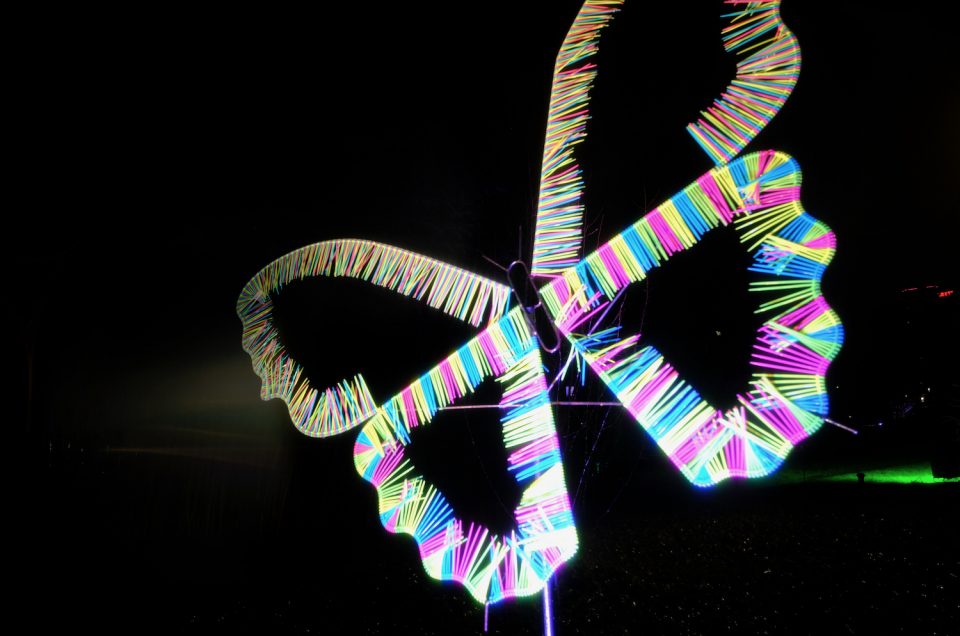
Every two years there is the Luminale in Frankfurt which is a light exhibit, so I took a whole bunch of images there, which were a challenge for me because I don’t do much low-light photography. I love some of the results though!

bestof2012 18 (1) bestof2012 16 (1) bestof2012 15 (1) bestof2012 6 (1) bestof2012 17 (1)

Misc

bestof2012 1 bestof2012 18 bestof2012 13 bestof2012 14 (1)

bestof2012 4 (2)


Overall my favorite images are the one I highlighted in the HDR section and the one in analogue. they are very, very different but I love looking at both of them! Which one would you have highlighted?

Taking wonderful nature closeups using a telephoto lens

This weekend I went to an animal park with some friends and their kids and since this was more a family outing than a photo trip, I only took one lens with my: my Canon 70 – 300mm IS lens. This worked great for getting up close and personal with the animals and getting some great snapshots of the kids while they were playing on the playgrounds and running around having fun. The telephoto is absolutely ideal for such jobs because you can zoom in and out as you need. But given my love of macro phtography there was one area it is clearly lacking: near field focussing! The minimum distance is very long compared to a macro lens and there were some really beautiful leaves and mushrooms I wanted to highlight but getting close just wasn’t working.


I have to admit, it took me a moment to find a solution (I really haven’t been photographing enough this year…) but then it dawned on me: I had an incredible zoom with me – going further away and zooming in would work just as good, so that is what I did. It is not the same as getting very close with a macro lens but still I got some great nature shots.


New Blog system

It’s been ages since i last posted on this blog. And I am truly sorry about it but I did not have much time in the last few months, either for taking photos or posting them online. But at the same time i have learned a lot more about working on websites and due to that my old system for the website just didn’t work for me anymore so a new one was needed….

That is why I have now changed the blog to wordpress and will also change the RSS feed location soon due to the trouble Feedburner has been having. What this means for you, is that i am now able to add more options on this blog (for instance, i can finally have social media buttons on all posts without having to manually enter them) but also i will try and find a way to better incorporate the photos I take.

The design, btw, is a work in progress and will change a lot going forward. this is just a quick first try – but fully responsive so it looks good on mobile devices :)